Grab any area, pixel-perfect
A magnifier follows the cursor and the live size readout tells you exactly what you are capturing. Window and full-screen modes highlight what is about to be grabbed.
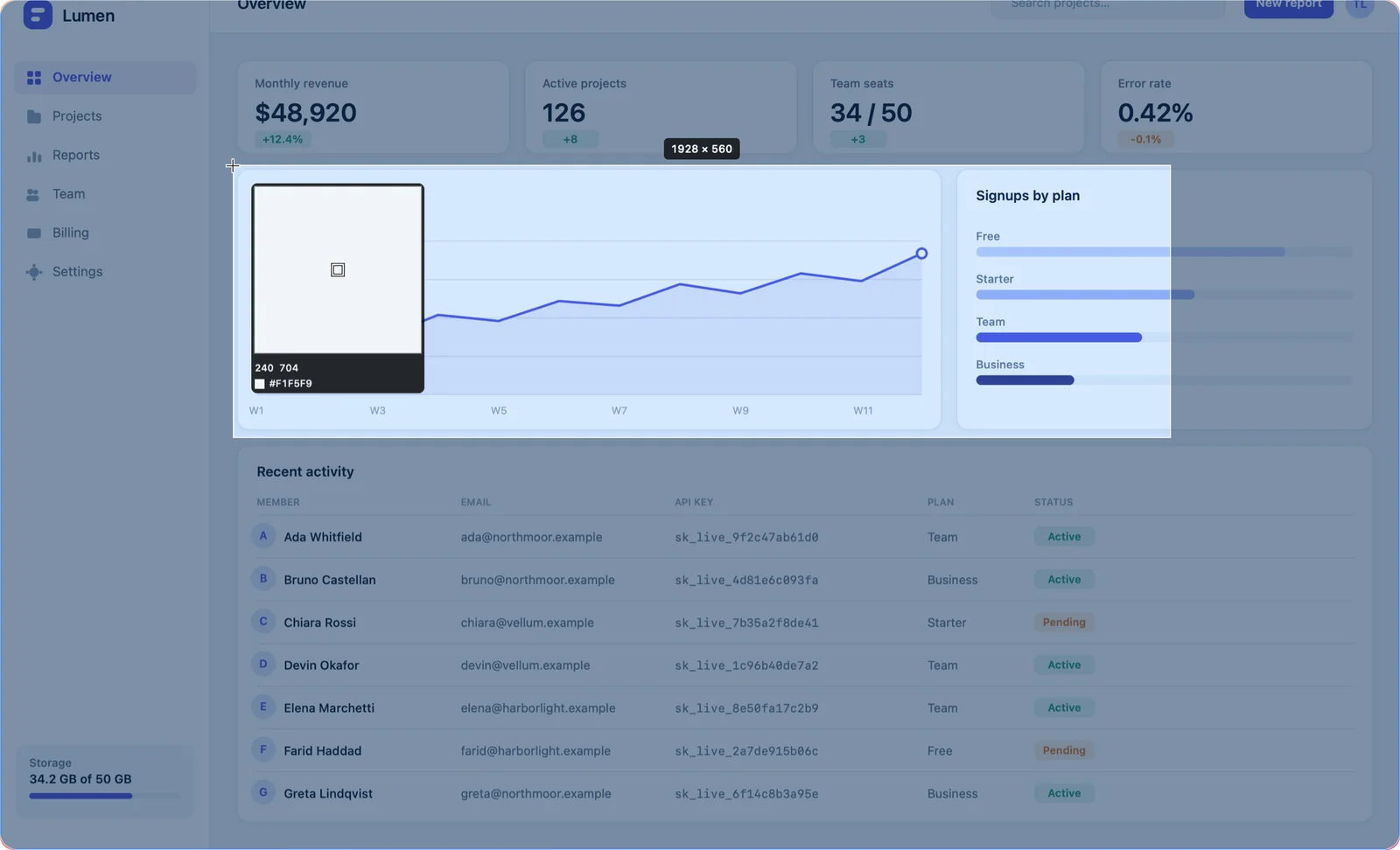
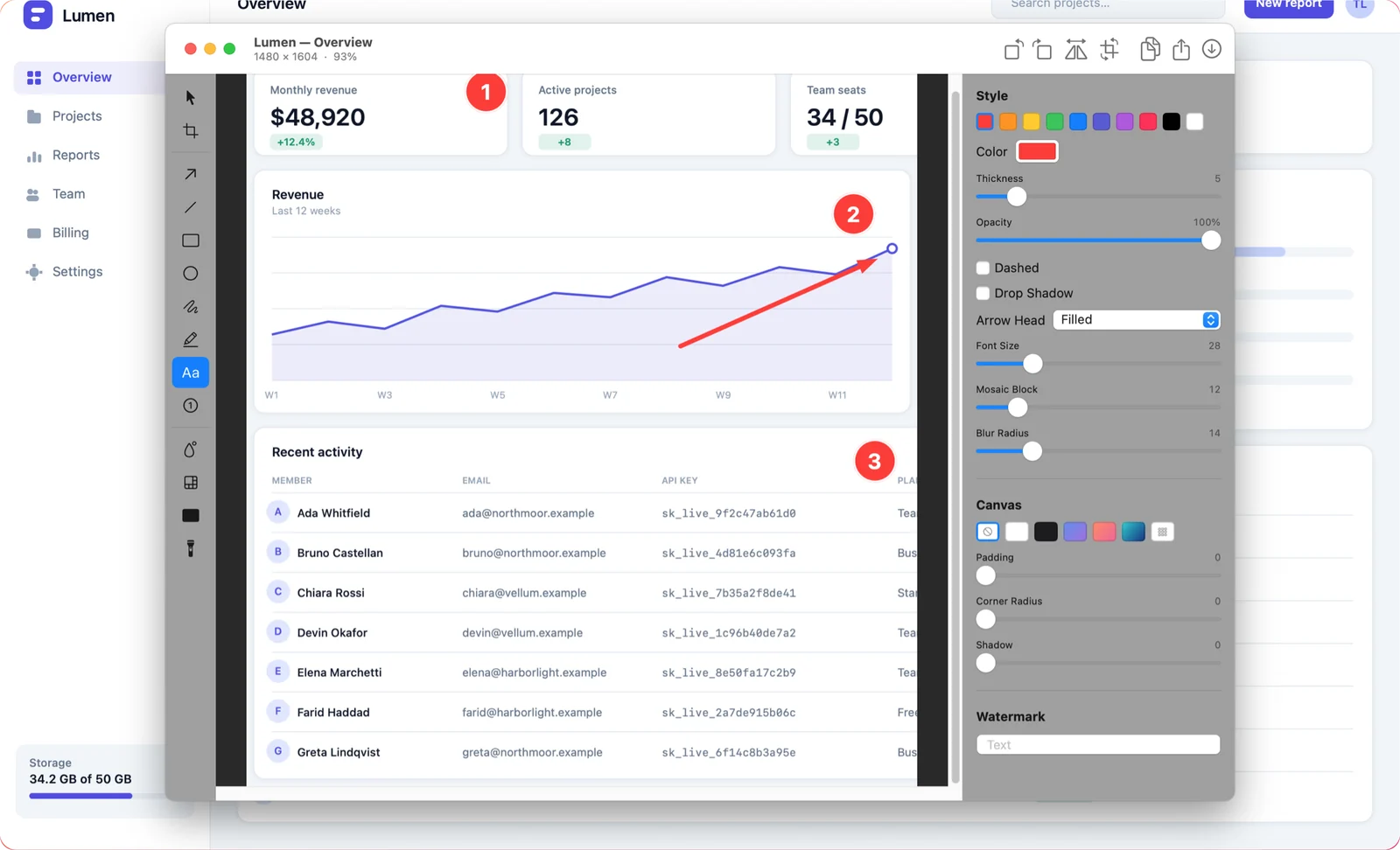
Hit one shortcut, drag a box, and you are already annotating. Arrows, numbered steps, blur for the parts nobody should see — then copy, save, or share a link.
One-time purchase · macOS 14+ · Apple silicon & Intel
Built for the screenshots you take twenty times a day.
Area, window, full screen, all displays, or a freeform shape. Fixed-size and repeat-last-area modes for screenshots that have to match. Timed capture catches menus and hover states.
Arrows, shapes, pen, highlighter, text and step numbers. Crop, rotate and flip. All non-destructive and fully undoable, so a wrong arrow is never a redo of the whole shot.
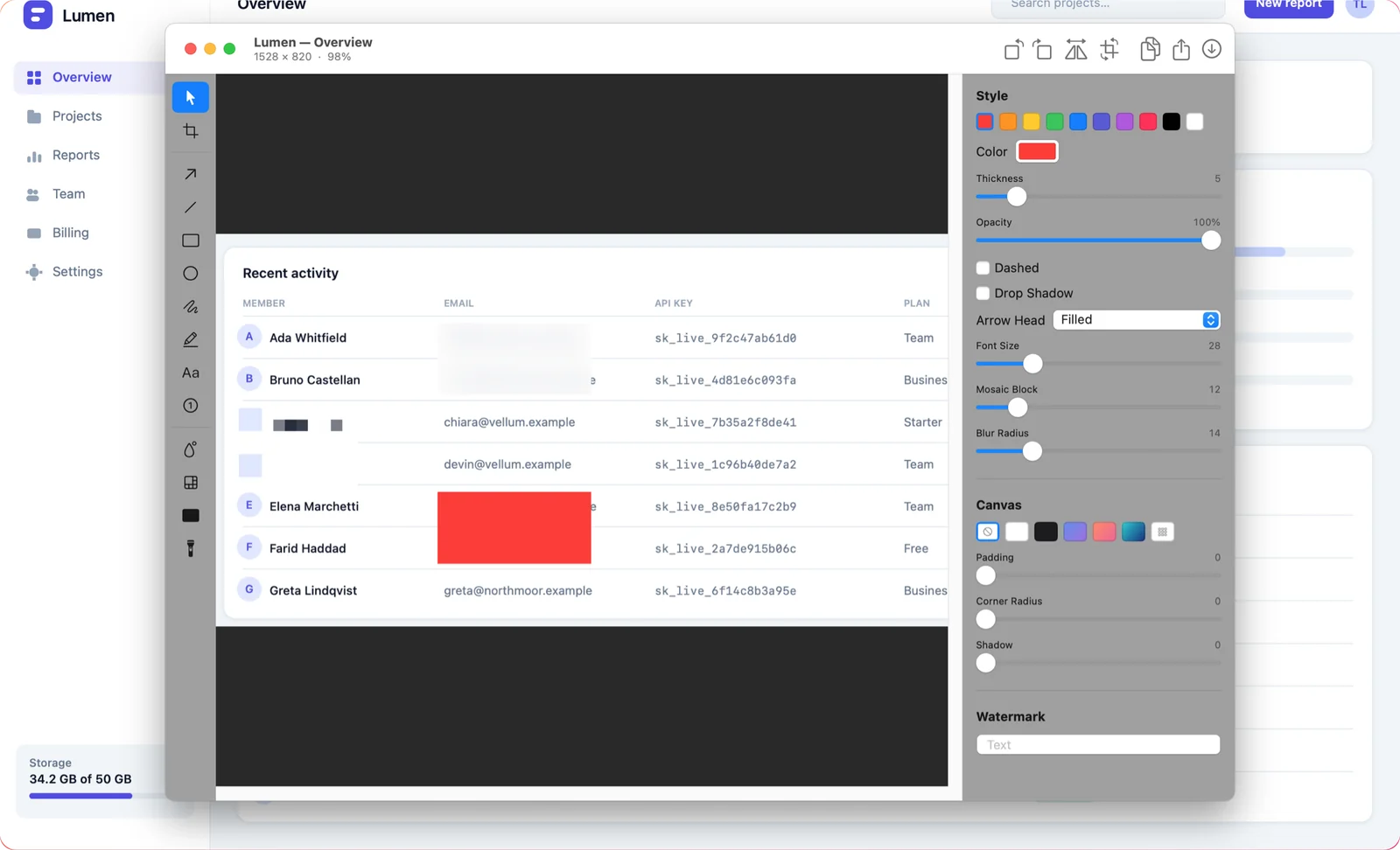
Blur, pixelate and solid redaction, plus a spotlight that dims everything except the one detail you want people to look at.
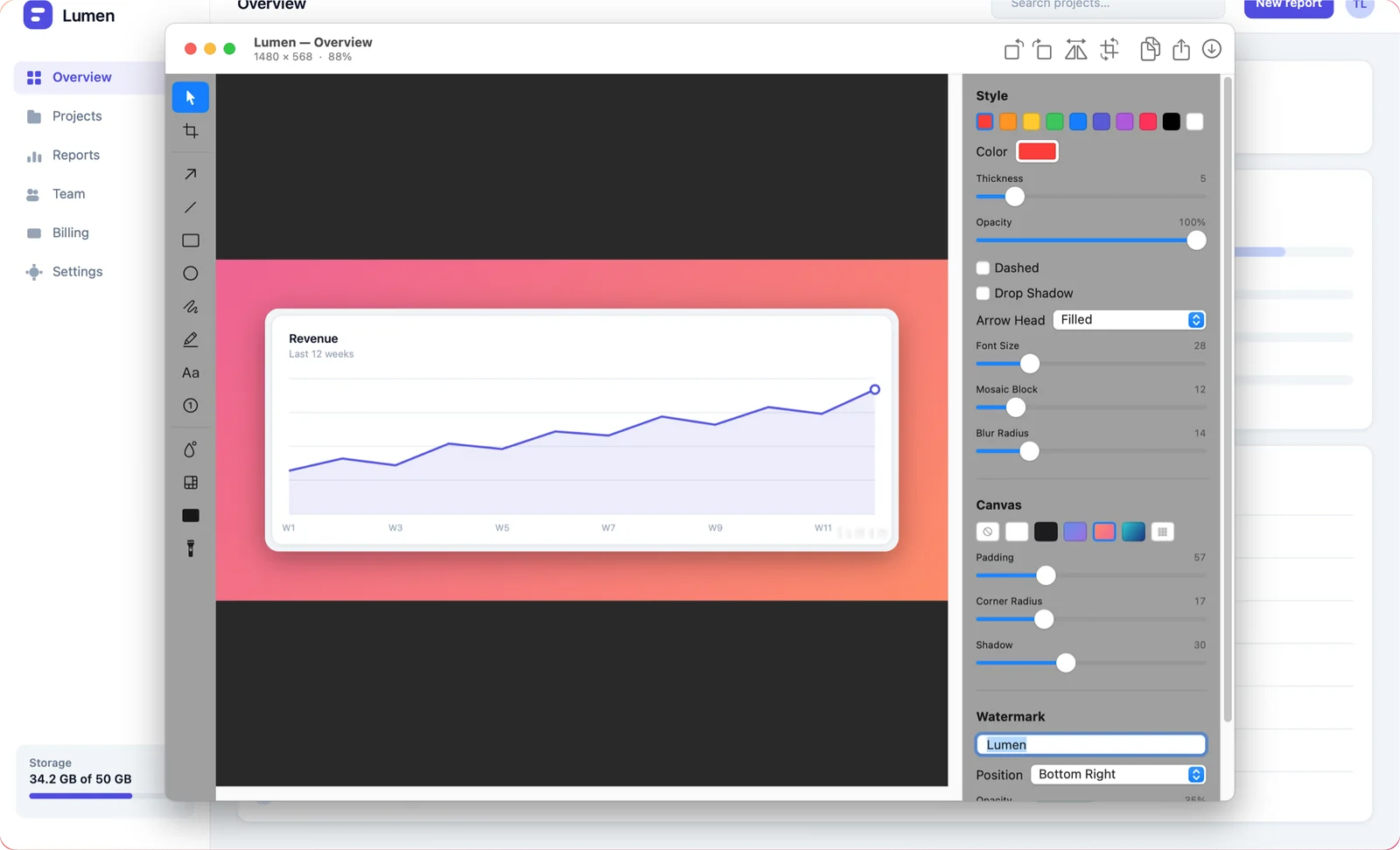
Gradient or solid backdrops with adjustable padding, rounded corners, drop shadows and watermarks with position, size and opacity control.
Text recognition runs on-device through Apple's Vision framework. Select a region, get the text on your clipboard — no upload, no service.
Upload anonymously and get a short link you can paste anywhere. Links expire and are deleted after 7 days. No account, no sign-up.
Everything below happens in Shotcake — no round trip through a design app, no browser upload dialog.
A magnifier follows the cursor and the live size readout tells you exactly what you are capturing. Window and full-screen modes highlight what is about to be grabbed.
Arrows, lines, rectangles, ellipses, freehand pen, highlighter, text and numbered step counters. Every object stays editable — nothing is burned into the pixels.
Blur, pixelate or cover with a solid block. Drag the region over an email address, an API key or a customer name before the screenshot ever leaves the window.
Add padding and a gradient backdrop, round the corners, drop a shadow behind it, stamp a watermark. A raw screenshot becomes something you can put in a doc or a post.
The built-in color picker magnifies the pixels under the cursor and copies the HEX value. Useful far beyond screenshots.
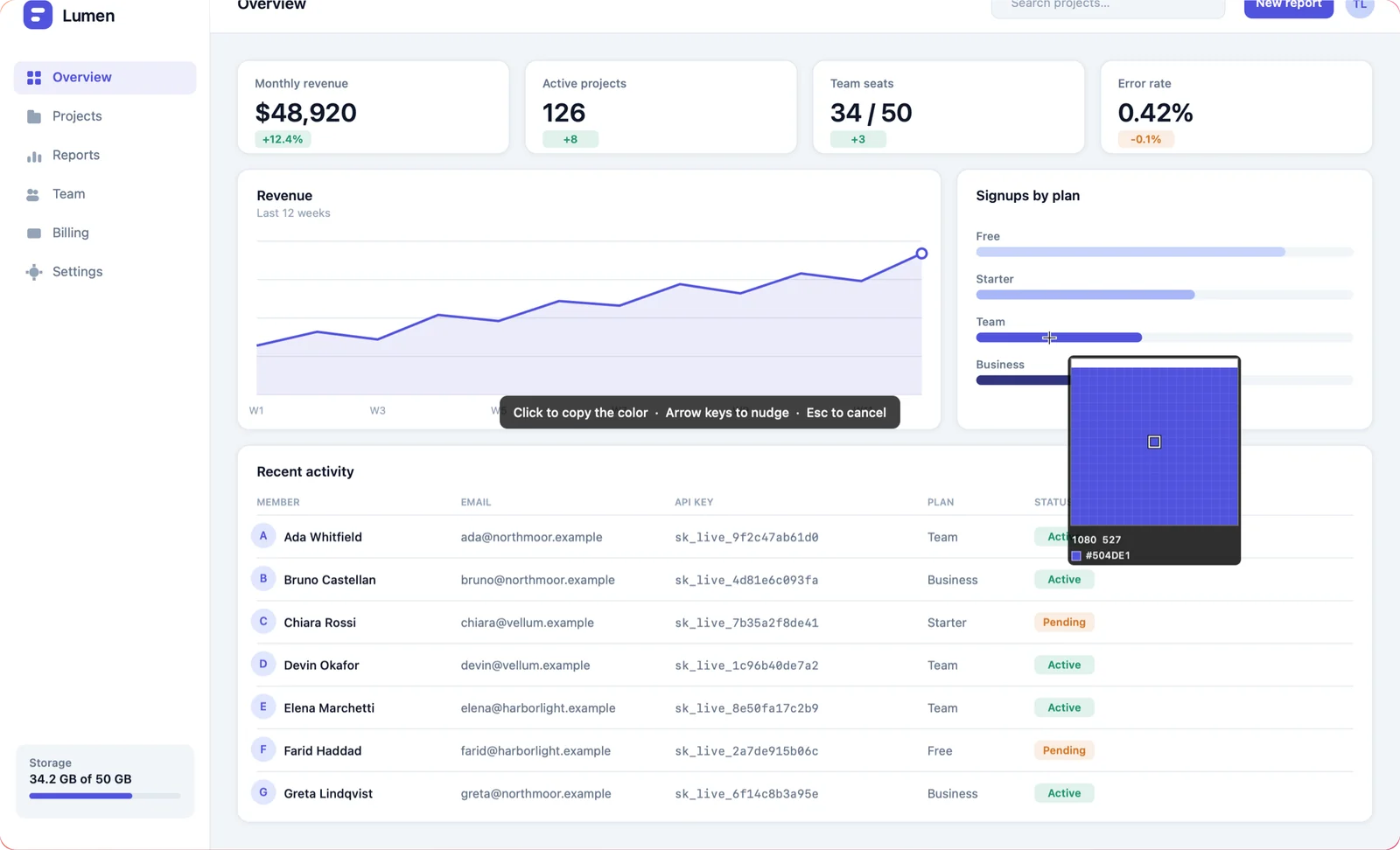
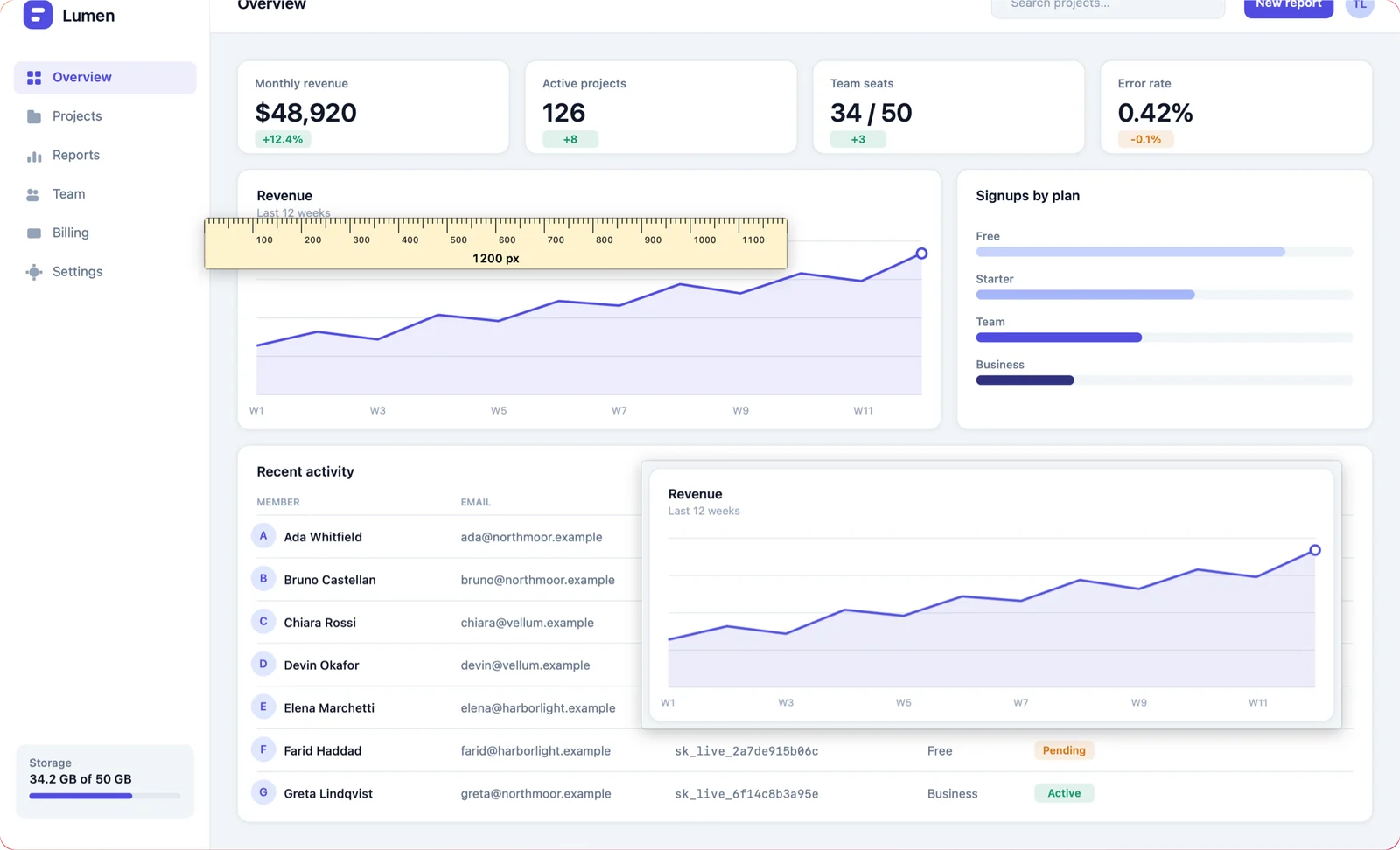
Pin a screenshot on top of every window as a reference while you rebuild something, and pull up the on-screen ruler to check spacing in points or pixels.
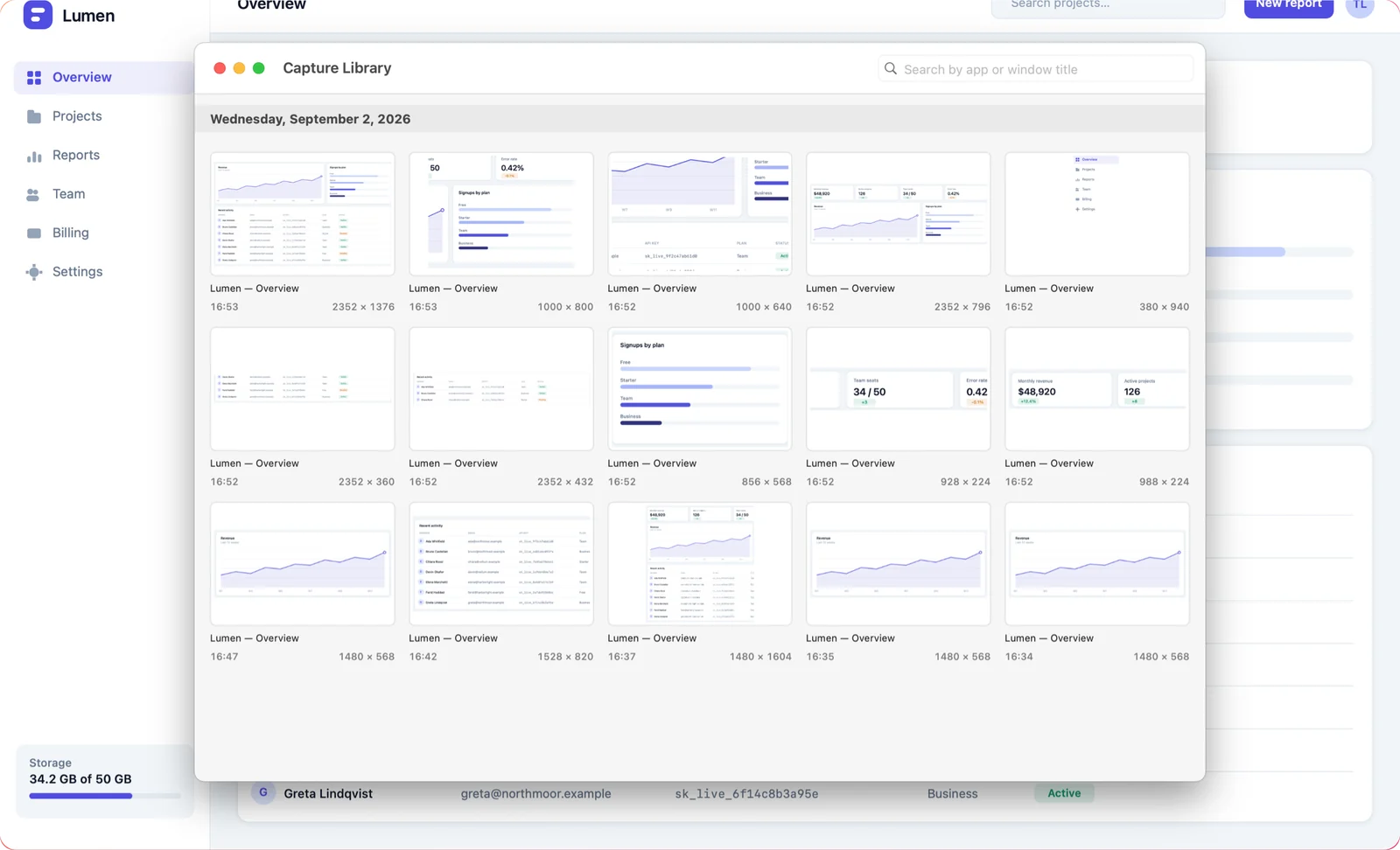
The capture library keeps your history in a grid you can search. Open any past shot and the annotations are still there, still editable.
The whole point is that you never leave what you were doing.
⌘⇧2 for an area, or bind any capture mode to whatever your fingers already know. Every shortcut is rebindable and conflicts are flagged for you.
The editor opens on the shot straight away. Point at the thing, number the steps, blur what should not be public.
Copy to the clipboard, drag the floating preview into any app, save as PNG, JPEG, HEIC, TIFF or PDF, or get a share link.
Shotcake has no analytics, no advertising SDKs and no user accounts. There is nothing to log in to, so there is nothing about you to collect.
The short answers. There are more on the FAQ page.
One shortcut, one drag, and the annotation editor is already open.
One-time purchase · macOS 14+ · Apple silicon & Intel