The gap is not capture
The built-in capture tool is good. ⌘ ⇧ 4 has been muscle memory for a decade, window capture works, the timer works. If all you need is a picture of your screen, you are already done and no app is going to improve on that.
The friction is everything after. You have a PNG on your Desktop. Now you need an arrow pointing at the broken button, three numbered steps, and the customer's email address covered up — and the shortest path there involves opening a second application, doing the markup, exporting, finding the export, and attaching it. Every one of those steps is small. Together they are why so many bug reports arrive as an unannotated full-screen capture with a sentence saying "top right".
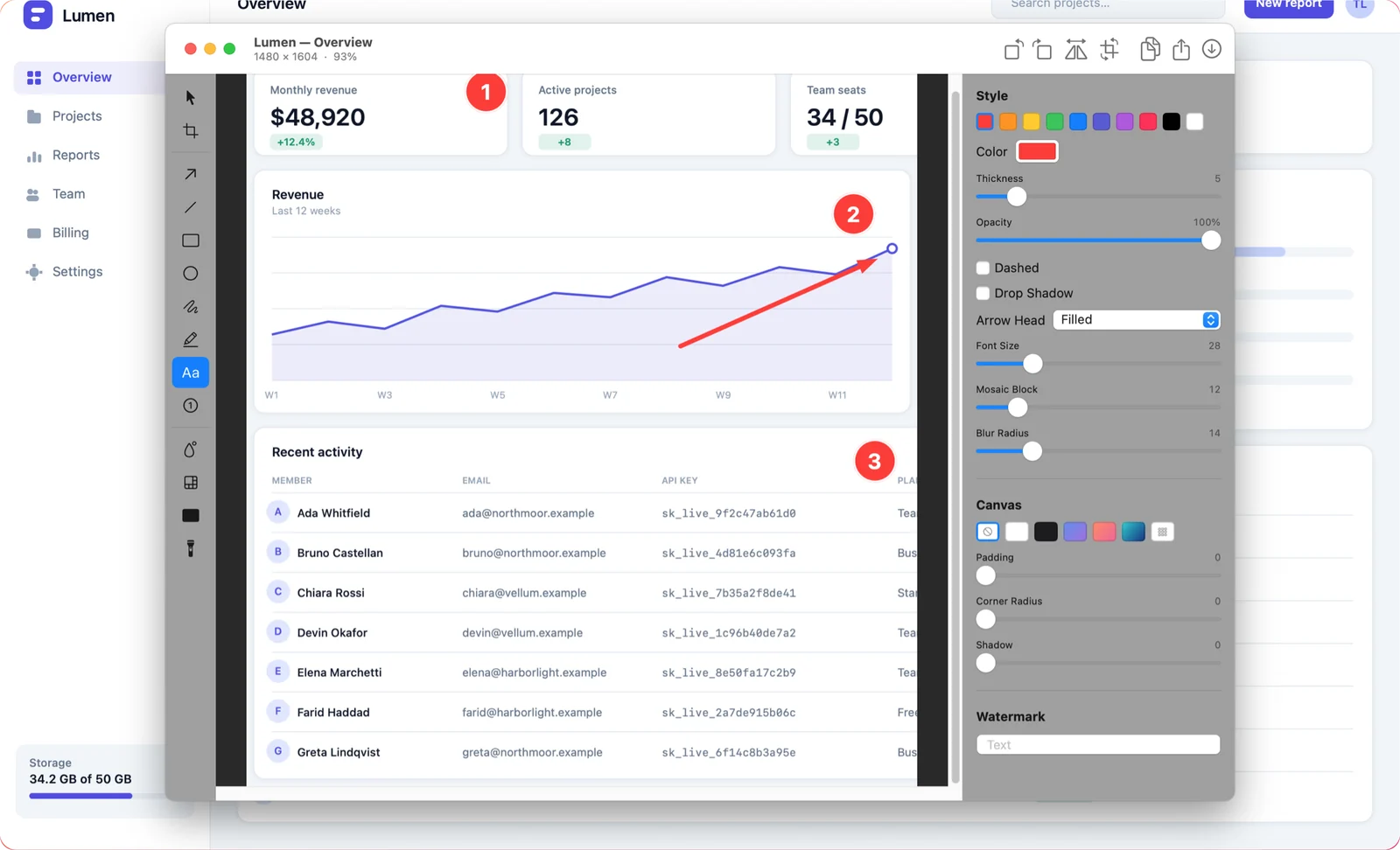
What Shotcake does
One shortcut captures and opens the editor. Arrows, shapes, text, numbered step markers, blur, pixelate and solid redaction, a spotlight, crop, rotate. Padding, gradient backdrops, rounded corners, shadows and watermarks when the shot has to go in a document. Text recognition when you need the text rather than the picture. Then copy, save, drag out of the floating preview, or get a link.
Everything stays editable. Annotations are objects, not pixels — open a capture from the library three weeks later and every arrow is still selectable. That one decision is worth more in daily use than any individual tool, and we wrote about why it shaped the rest of the app.
What it deliberately does not do
- No account. There is nothing to sign in to. A screenshot tool that wants an email address before it will draw an arrow has misunderstood the job.
- No subscription. One purchase on the Mac App Store. No tiers, no in-app purchases, no feature held back for a plan.
- No analytics. No tracking SDK, no telemetry, no crash reporter phoning home with your window titles.
- No cloud library. Your captures live on your Mac. Share links are the single exception, they are anonymous, and they expire after seven days.
The short version of the privacy model: the app has no idea who you are, because it never asks and never checks.
Built native, on purpose
Shotcake is Swift and AppKit, using ScreenCaptureKit for capture and Apple's Vision framework for text recognition. That choice costs portability — it will never run anywhere but macOS — and buys the things that actually matter for a tool you invoke twenty times a day: it launches instantly, it does not hold a browser engine in memory to draw a rectangle, and it behaves like the rest of your Mac.
It requires macOS 14 (Sonoma) or later, because that is where the capture API it relies on arrived, and it runs on both Apple silicon and Intel Macs.
Where it goes next
The roadmap is driven by what people actually report. If something in your workflow is one step longer than it should be, that is exactly the kind of thing worth telling us about — shotcake@xeviora.com. There is also a low-volume email list if you want to hear when something ships.