Blur, pixelate, or cover — they are not equivalent
All three make text look unreadable to a person glancing at the image. Only one of them is genuinely irreversible.
- Blur averages neighbouring pixels. The information is spread out, not removed. A weak blur over a short, predictable string — a six-digit code, a short username — can sometimes be narrowed down, because the set of possible originals is small enough to test.
- Pixelate replaces blocks with their average colour. Same problem, and worse in one respect: block boundaries are fixed and predictable, which makes reversal attempts easier to automate against known fonts.
- Solid redaction paints an opaque rectangle. Nothing about the original survives underneath. This is the only one to use for a password, a token, a key or an account number.
Rule of thumb: blur for faces, backgrounds and anything you are hiding for tidiness. Solid block for anything you would be in trouble for leaking.
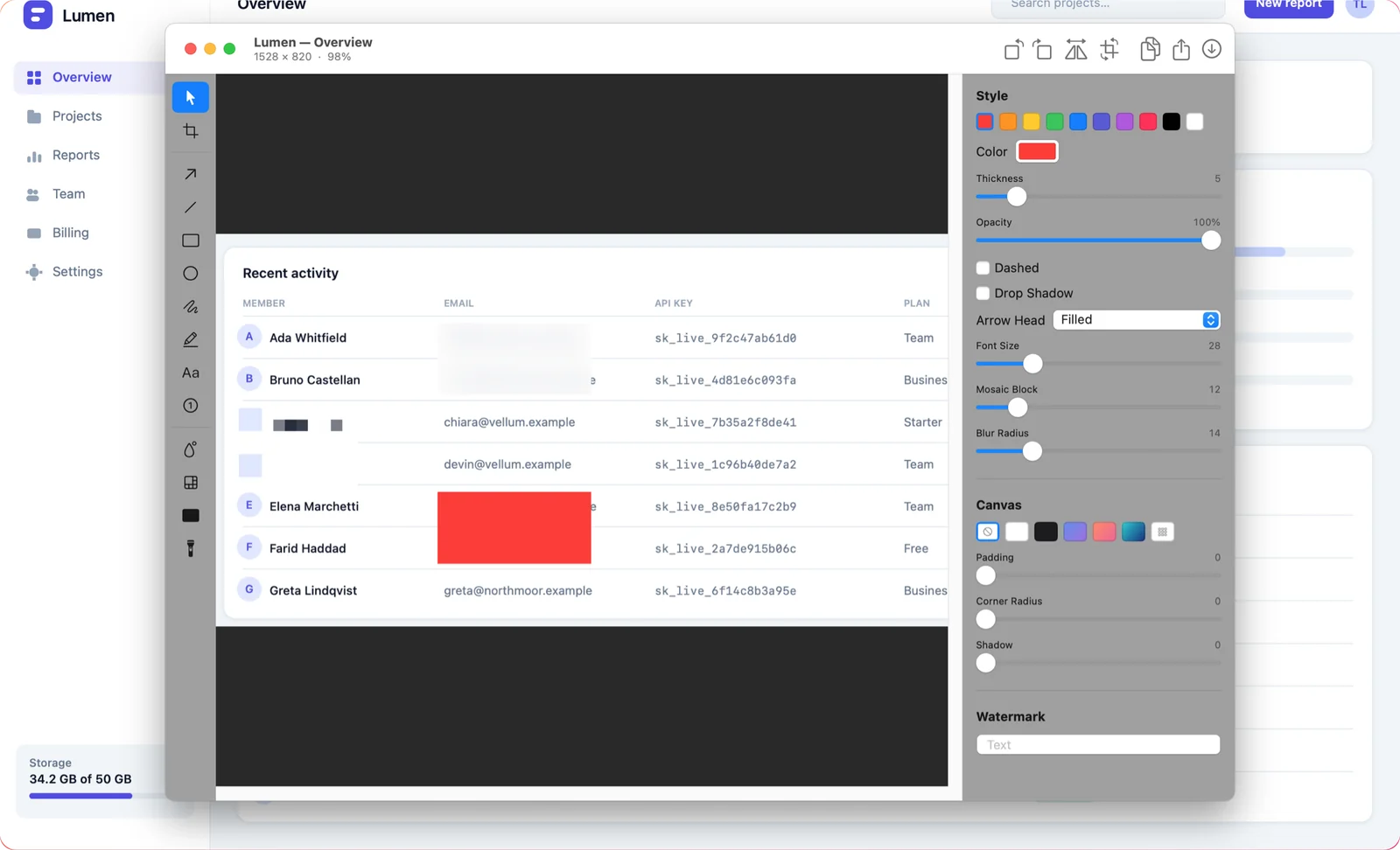
The mistake that undoes all of it
Redaction only counts once the image is flattened. If you share a file that keeps the redaction as a separate, movable layer — some editors' native project formats, some PDF workflows — the person receiving it can move the box aside. Always send an exported PNG or JPEG, not the working file.
The same applies to a screenshot you have cropped rather than redacted: cropping an image is safe (the pixels are gone), but cropping a *view* of an image in a document is not, because the original is still embedded.
Two things people forget to cover
- Browser tabs and the address bar. A tab title can name a customer or an unreleased project; a URL frequently contains an account ID or a session token.
- Notifications and the menu bar. A banner that slid in during the capture, an email subject, a calendar entry with a person's name — all of it ends up in the image.
Capturing a single window rather than the whole screen removes most of this class of leak in one move. See how to capture a window or a menu.
Doing it without uploading the screenshot first
Plenty of "blur my screenshot" tools are websites. To use one you upload the exact image you were trying to keep private, before it is redacted, to a server you know nothing about. That is the wrong order of operations.
Shotcake does the redaction on your Mac, in the editor that opens on the capture. Nothing is uploaded unless you separately choose to create a share link — and by then the sensitive parts are already covered.